User Journey
The journey begins with a trade customer on your ecommerce platform.
-
Your trade customer selects iwocaPay as the payment method in your checkout.

-
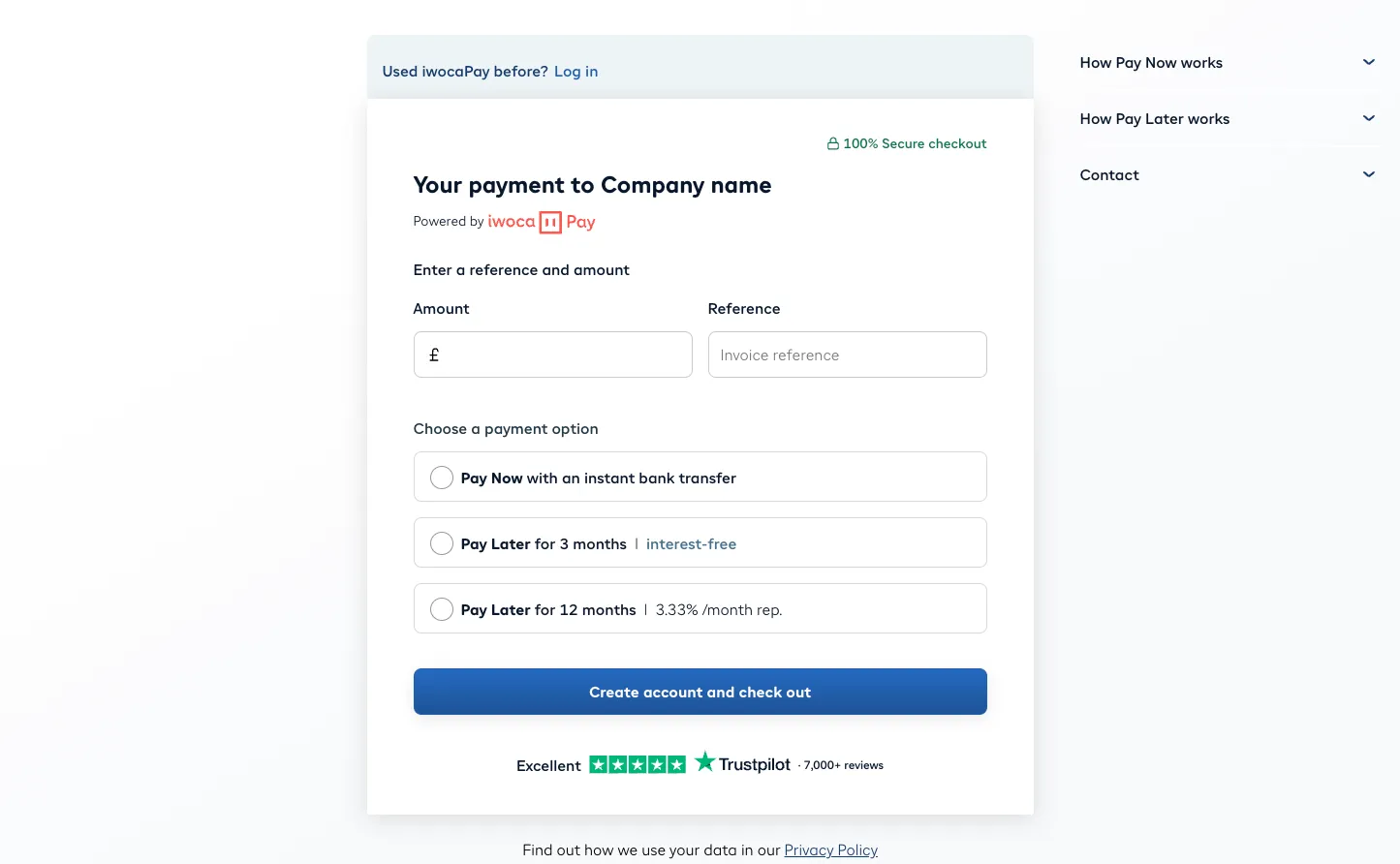
They are redirected to the iwocaPay Checkout.
-
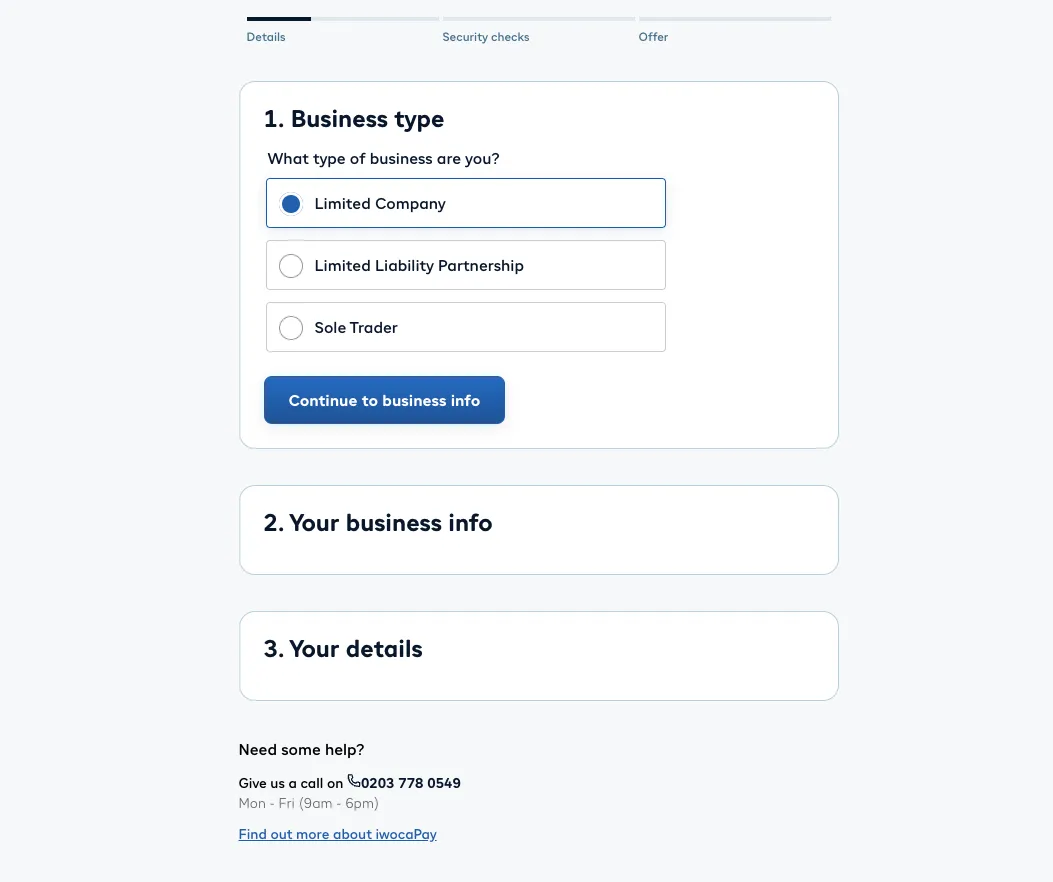
They enter their details and are credit assessed for the pay link amount.
We perform ID checks and provide the terms and conditions to the trade customer.
-
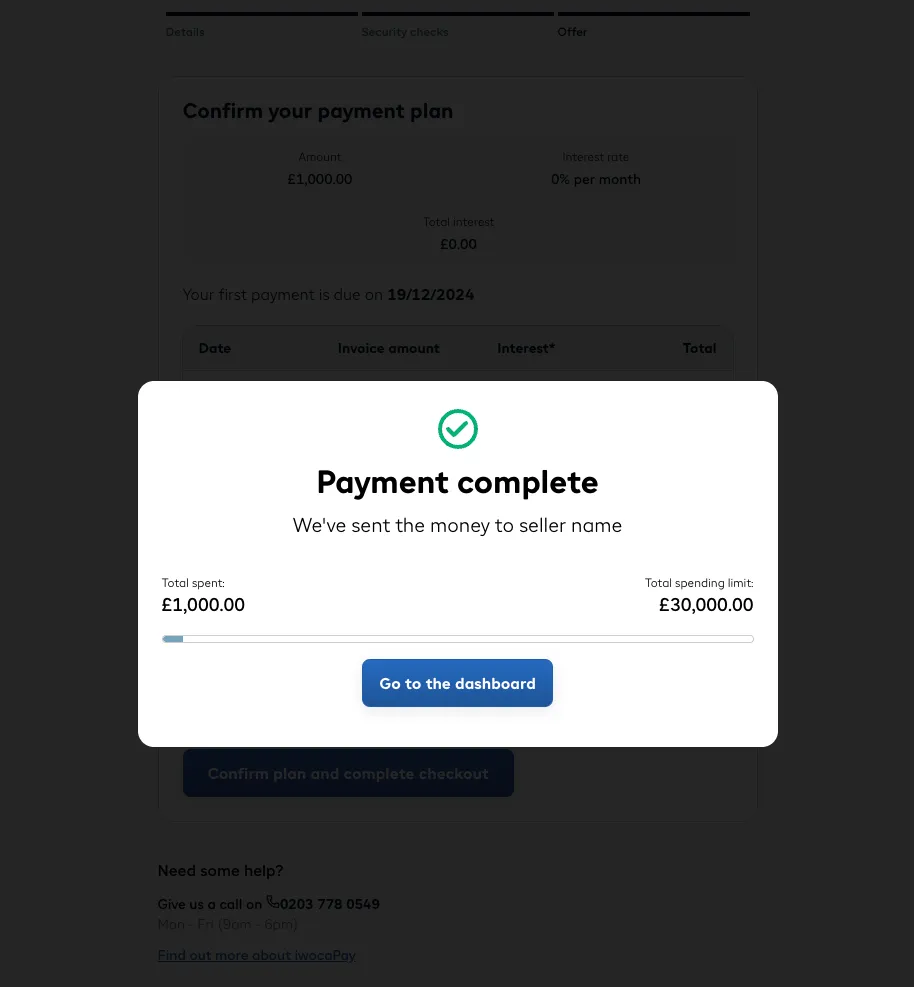
They receive an approval or rejection and are redirected back to your checkout.
-
Your checkout displays appropriate messaging and reconciles the order.
The journey begins with you sending a trade customer a pay link.
-
Your trade customer visits or is redirected to the pay link URL, which displays to the iwocaPay Checkout.
- The pay link URL is sourced from either the RESTful API, or generated using the iwocaPay dashboard.
-
They enter their details and are credit assessed for the pay link amount.
We perform ID checks and provide the terms and conditions to the trade customer.
-
They receive an approval or a rejection.
- If the pay link URL contained a
redirect_urlquery parameter they will be redirected back to the URL after a short delay. - If the pay link URL contains no query parameter they are redirected to their trade customer dashboard.
- If the pay link URL contained a
-
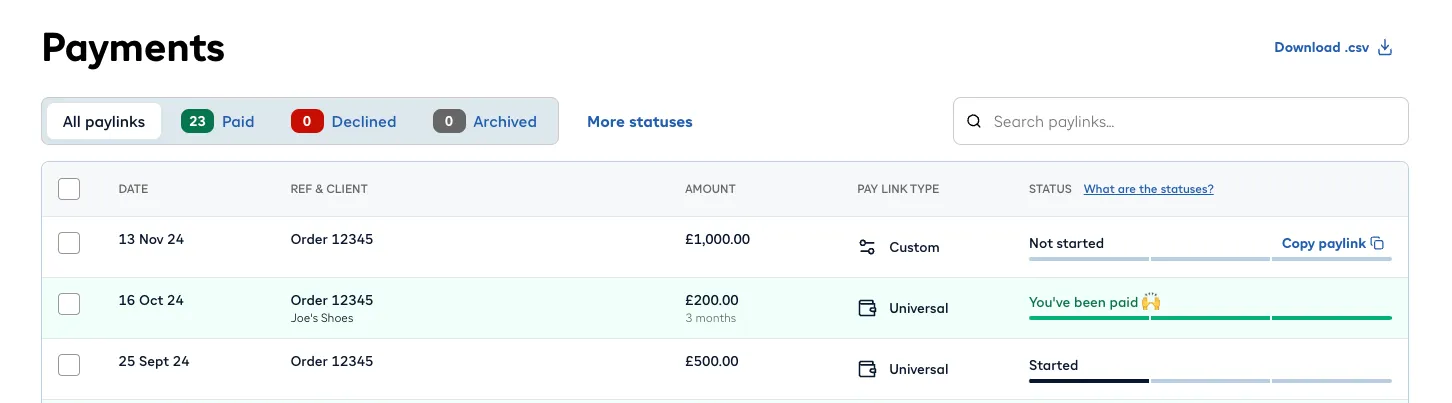
Your iwocaPay dashboard will reflect the pay link status.
- You can also use the RESTful API to retrieve the order status.