
Shopify signposting banners
For Shopify 2.0 users, iwocaPay signposting banners inform customers about flexible payment options before they reach checkout.
- Log in to your Shopify admin dashboard.
- Go to Online Store > Themes.
- Select the page where you’d like to add a banner (such as your Home Page).
- Click Add Section.
- Go to Apps.
- Choose one of the available iwocaPay banners and drag it to your desired location.
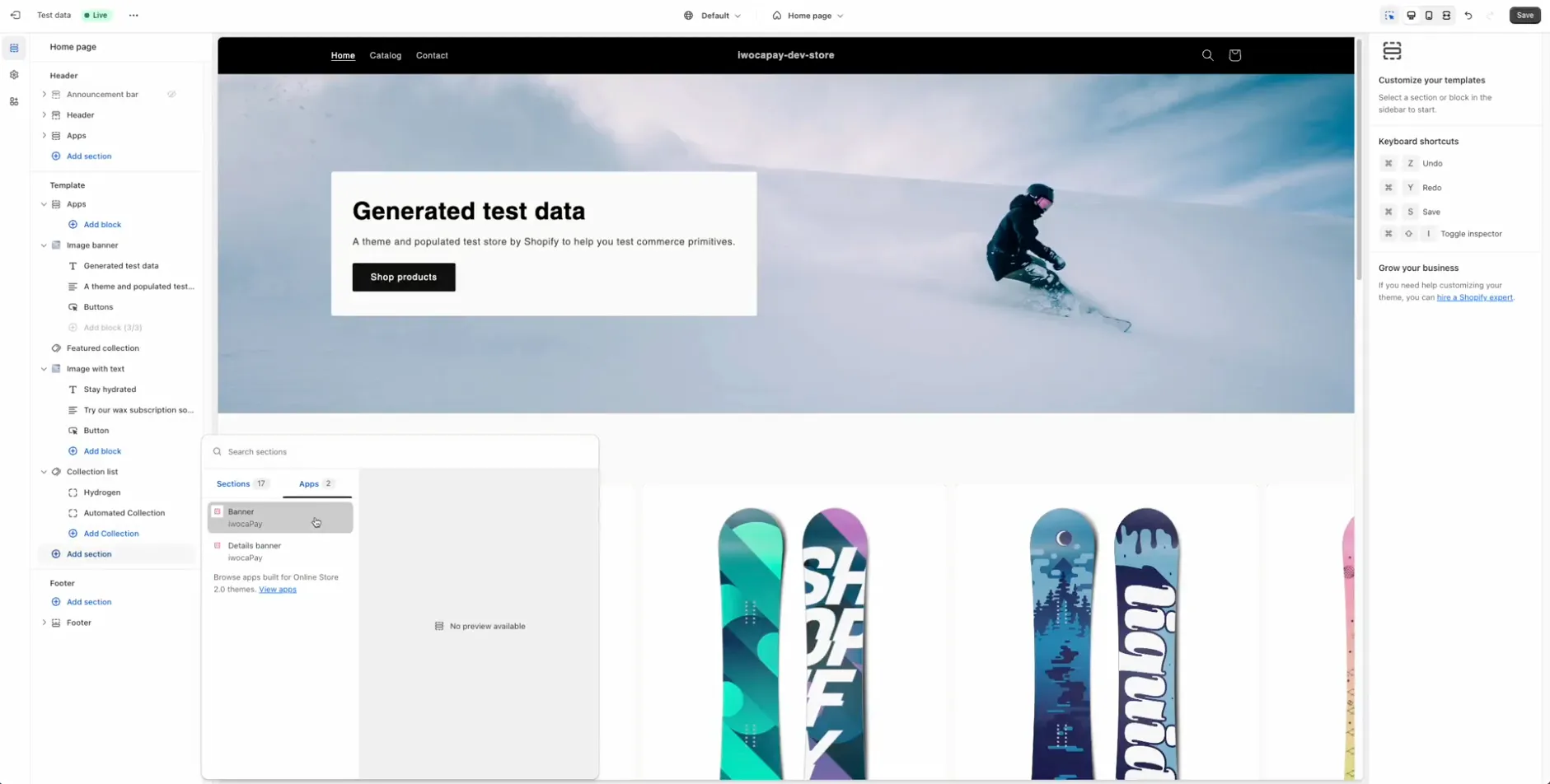
- Click Save to apply the changes.
For more detailed instructions, see How to add iwocaPay banners to your Shopify store.